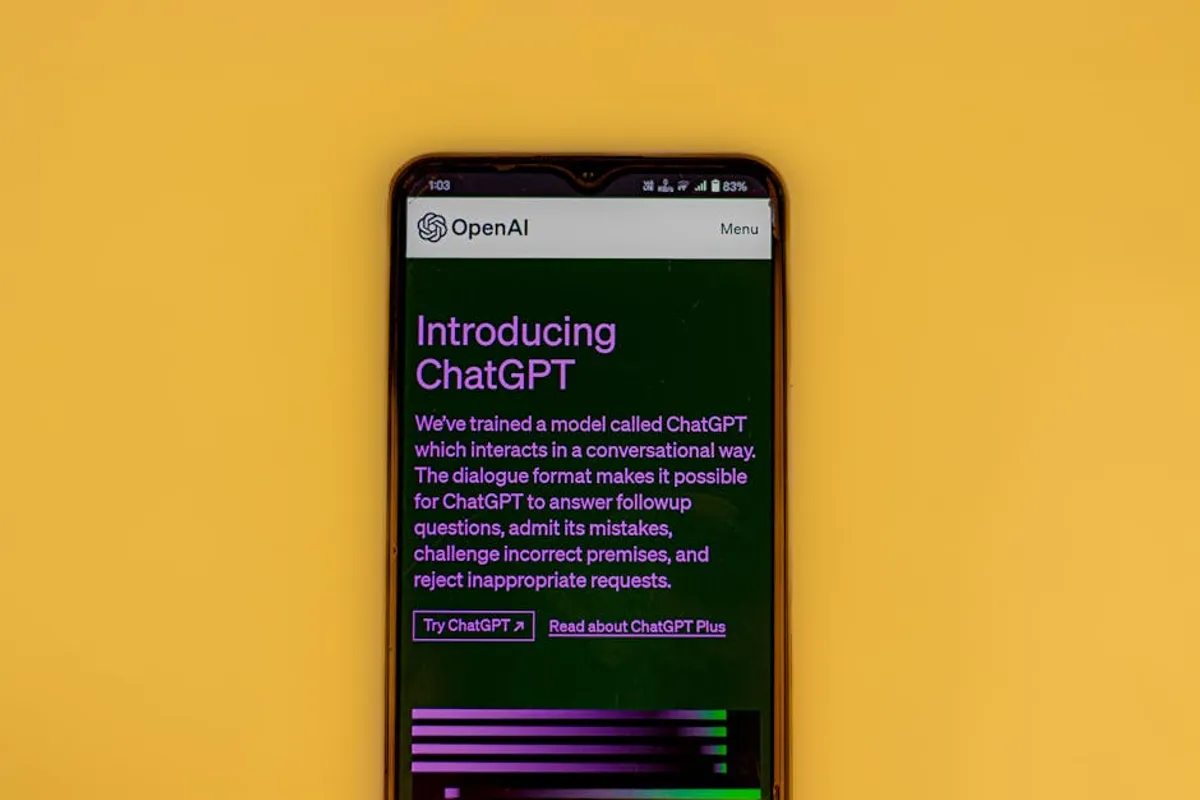
The rise of conversational AI has transformed how users interact with information and generate content, with ChatGPT quickly becoming a benchmark. However, users frequently seek alternatives for various reasons: to explore different model capabilities, manage costs associated with premium features, address specific privacy concerns, or integrate AI into existing workflows more seamlessly. Evaluating free alternatives requires a clear understanding of what each platform offers, where its strengths lie, and any inherent limitations compared to a paid or more established service. This article examines several prominent free AI chatbot options, detailing their core functionalities, ideal applications, and operational nuances to help users make an informed choice based on their individual requirements. If you're looking for tools that can assist with creative tasks, consider exploring other apps like ChatGPT for writing, research, and coding to see how they compare.
What to Look For in a Free AI Chatbot Alternative
When evaluating free AI chatbot alternatives, focus on several key criteria to ensure the tool aligns with your specific needs. First, consider the underlying model's capabilities and its suitability for your primary tasks. Some models excel at creative writing, others at factual summarization, and a few are optimized for coding assistance. Second, assess the interaction interface and user experience; a clunky or unintuitive design can hinder productivity. Third, investigate data privacy policies, especially if you plan to input sensitive information. Many free services use user data for model training, which may be a concern for some. Fourth, check for integration possibilities or extensions, such as browser add-ons or API access, if these are important for your workflow. Finally, understand the limitations of the "free" offering—this might include daily query limits, slower response times, access to older models, or restrictions on advanced features like image generation or file analysis.
1. Google Gemini
Google Gemini, previously known as Bard, represents Google's direct entry into the conversational AI space, leveraging its extensive knowledge graph and search capabilities. Gemini is designed to be multimodal, meaning it can process and understand different types of information, including text, images, and audio, though its free web interface primarily focuses on text-based interactions. It integrates with other Google services, allowing for real-time information retrieval and synthesis directly from the web, often providing more up-to-date responses than models trained on static datasets. Gemini aims to be versatile, supporting brainstorming, content creation, summarization, and information gathering across a wide range of topics.
Key Features: Real-time web access for up-to-date information, multimodal understanding (text, images, audio processing capabilities), direct integration with Google Workspace apps (e.g., Gmail, Docs), multiple draft responses for comparison, image input and analysis.
Pricing: Core access to Gemini is free. Google offers Gemini Advanced as part of the Google One AI Premium plan for enhanced capabilities and access to the Ultra 1.0 model.
Best For: Users requiring up-to-date information retrieval, brainstorming and creative idea generation, quick summarization of web content, and those already integrated into the Google ecosystem.
Pros:
- Access to current web information ensures responses are often highly relevant and timely.
- Ability to analyze images provides a distinct advantage for visual content queries.
- Seamless integration with Google Workspace enhances productivity for existing Google users.
- Offers multiple response drafts, allowing users to choose the most suitable output.
Cons:
- Can sometimes exhibit "hallucinations" or provide factually incorrect information, a common AI challenge.
- Performance can vary depending on the complexity of the query and server load.
- Privacy implications for users who prefer not to share their data with Google for model improvement.
2. Microsoft Copilot
Microsoft Copilot, formerly known as Bing Chat, is deeply integrated into Microsoft's ecosystem, particularly within the Edge browser and Windows operating system. It leverages OpenAI's advanced models, combined with Microsoft's Bing search engine, to provide conversational AI capabilities that are both creative and grounded in real-time web search results. Copilot is designed to assist with a broad spectrum of tasks, from generating text and summarizing documents to answering complex questions and even creating images through DALL-E 3 integration. Its accessibility directly within the browser or OS makes it a convenient tool for everyday productivity and research.
Key Features: Real-time web search integration via Bing, DALL-E 3 image generation, three conversational styles (Creative, Balanced, Precise), context awareness within the Edge browser, integration with Windows 11 and Microsoft 365 applications.
Pricing: Core functionality is free with a Microsoft account. Microsoft offers Copilot Pro for enhanced features and faster performance across Microsoft 365 apps.
Best For: Microsoft Edge and Windows users seeking an integrated AI assistant for web research, content creation, image generation, and quick information retrieval within their daily workflow.
Pros:
- Direct access to real-time web search results enhances accuracy and currency of information.
- Built-in DALL-E 3 for image generation offers a creative advantage over text-only models.
- Multiple conversational styles allow users to tailor responses to their specific needs.
- Seamless integration into the Microsoft ecosystem provides a unified user experience.
Cons:
- Can sometimes struggle with maintaining long conversational contexts.
- Image generation limits and occasional quality inconsistencies can occur.
- Some users may find the integration with Microsoft products restrictive if they prefer other browsers or operating systems.
3. Perplexity AI
Perplexity AI distinguishes itself by focusing on providing accurate, cited answers to user queries, positioning itself as a "conversational answer engine." Unlike many generative AI models that synthesize information without explicit sources, Perplexity provides direct links to the web pages it uses to formulate its responses. This emphasis on verifiability makes it particularly valuable for research, academic work, and situations where factual accuracy and source transparency are paramount. It offers a clean, straightforward interface that prioritizes the answer and its supporting evidence, making it efficient for users who need reliable information quickly.
Key Features: Source citations for all generated answers, "Focus" options to narrow search to specific domains (e.g., Academic, YouTube, Reddit), follow-up questions for deeper exploration, AI-powered search for instant answers, "Copilot" feature for guided searches.
Pricing: Free for basic queries and limited Copilot uses. Perplexity Pro offers unlimited Copilot, faster models, and higher file upload limits.
Best For: Researchers, students, journalists, and anyone prioritizing factual accuracy and transparent sourcing in their AI-generated answers.
Pros:
- Provides direct source links, allowing users to verify information and explore topics further.
- "Focus" feature enables targeted searches, improving relevance and reducing noise.
- Excellent for academic and research-oriented tasks where citation is critical.
- User interface is clean and designed for efficient information retrieval.
Cons:
- Less emphasis on creative writing or open-ended content generation compared to other models.
- The free tier has limits on advanced features like "Copilot" usage.
- Answers can sometimes be less conversational or expansive than other chatbots.
4. Claude (via free web access or API)
Claude, developed by Anthropic, is known for its strong emphasis on safety, helpfulness, and honesty, often referred to as "Constitutional AI." Anthropic designed Claude with principles aimed at reducing harmful outputs and promoting ethical AI interactions. While direct free web access to the latest, most powerful Claude models might be limited or provided through specific platforms, older or smaller versions of Claude are often accessible for free, showcasing its robust natural language understanding and generation capabilities. Claude excels at complex reasoning, summarization of lengthy documents, and nuanced conversational interactions, making it suitable for tasks requiring careful thought and detailed responses.
Key Features: Strong emphasis on safety and ethical AI, excellent at summarizing long texts, robust conversational abilities, good for complex reasoning and analysis, often performs well on creative writing tasks.
Pricing: Free access to specific Claude models (e.g., Claude Instant) is often available through third-party platforms or limited web interfaces. Anthropic's direct API access for more powerful models (like Claude 3 Haiku, Sonnet, Opus) is paid, with a free tier for initial API usage.
Best For: Users prioritizing safety and ethical AI, those needing to summarize extensive documents, complex problem-solving, or nuanced creative writing, particularly where detailed and thoughtful responses are required.
Pros:
- Excels at handling large volumes of text for summarization and analysis.
- Designed with strong safety protocols, reducing the likelihood of generating harmful content.
- Demonstrates advanced reasoning capabilities for complex inquiries.
- Provides thoughtful and detailed responses, suitable for intricate tasks.
Cons:
- Free access to the most advanced Claude models can be inconsistent or limited.
- May not be as widely integrated into other platforms as some competitors.
- Response speed can sometimes be slower than models optimized for rapid output.
5. Poe
Poe, developed by Quora, acts as an aggregator platform that provides access to a variety of AI models, including those from OpenAI (like GPT-3.5), Anthropic (Claude Instant), and other developers, all within a single interface. This unique approach allows users to experiment with different AI personalities and capabilities without needing to sign up for multiple services. Poe offers a freemium model where users get a certain number of free queries per day across various models, with a subscription unlocking higher usage limits and access to more premium models. It's an excellent sandbox for comparing different AI outputs and finding the model best suited for a particular task.
Key Features: Access to multiple AI models (GPT-3.5, Claude Instant, Llama 2, etc.) from one interface, ability to create custom bots, real-time conversations, user-friendly chat interface, daily free message limits for various models.
Pricing: Free with daily message limits across different models. A paid subscription removes these limits and provides access to more powerful models.
Best For: Users who want to experiment with and compare various AI models in one place, developers interested in creating custom bots, and those seeking a versatile platform for diverse AI tasks.
Pros:
- Provides a centralized hub to interact with and compare multiple leading AI models.
- Offers a simple way to test different model strengths for various types of queries.
- The ability to create custom bots adds a layer of personalization and utility.
- User interface is clean and intuitive, making it easy to switch between models.
Cons:
- Free usage is subject to daily message limits, which can be restrictive for heavy users.
- Access to the most powerful or latest models often requires a paid subscription.
- Performance depends on the underlying model chosen, which can vary in quality.
6. HuggingChat
HuggingChat is an open-source alternative developed by Hugging Face, a prominent community and platform for machine learning. It's built on various open-source large language models (LLMs), such as Llama and Falcon, making it a valuable resource for those who prefer transparent, community-driven AI development. As an open-source project, HuggingChat offers a glimpse into the capabilities of models that are freely available and can be self-hosted or fine-tuned. It provides a standard chat interface for conversational interactions, offering a robust option for general-purpose text generation, summarization, and question answering without commercial restrictions.
Key Features: Powered by leading open-source LLMs (e.g., Llama, Falcon), entirely free to use, community-driven development, standard chat interface, no commercial usage restrictions, transparent model architecture.
Pricing: Completely free to use. Being open-source, its development is supported by contributions and the Hugging Face platform itself.
Best For: Users who prefer open-source solutions, developers and researchers interested in the capabilities of open LLMs, and individuals seeking a completely free, community-backed AI chatbot without usage limits.
Pros:
- Completely free and open-source, promoting transparency and community involvement.
- Offers a strong alternative for users wary of proprietary AI models and data usage.
- Provides a solid foundation for general conversational AI tasks.
- No usage limits or paywalls for core functionality.
Cons:
- Performance and sophistication may not always match the most advanced proprietary models.
- Updates and new features might depend more on community contributions than dedicated commercial teams.
- May require some technical understanding if users wish to explore self-hosting or fine-tuning.
7. YouChat (by You.com)
YouChat is a conversational AI integrated into the You.com search engine, aiming to combine the best of search and generative AI. When you ask a question on You.com, YouChat provides a direct, summarized answer at the top of the search results, alongside traditional web links. This approach streamlines information retrieval, offering immediate answers while still providing the option to delve into original sources. YouChat excels at answering factual questions, summarizing topics, and assisting with research by leveraging its access to real-time web data. It’s designed to be a more efficient way to get answers than navigating multiple search results.
Key Features: Integrated directly into the You.com search engine, provides summarized answers with source citations, real-time web access, supports follow-up questions, offers "Apps" for specialized searches (e.g., code, academic papers), privacy-focused search options.
Pricing: Free as part of the You.com search engine experience. You.com offers YouPro for an ad-free experience and additional features.
Best For: Users seeking a more efficient search experience that combines direct answers with traditional web results, researchers who appreciate source citations, and those looking for a privacy-friendly search engine with AI capabilities.
Pros:
- Combines search and AI answers, reducing the need to click through multiple links.
- Provides source citations for its answers, enhancing trustworthiness.
- Real-time web access ensures answers are current and relevant.
- Offers a privacy-focused search experience compared to mainstream search engines.
Cons:
- Generative capabilities are more focused on summarization and direct answers rather than extensive creative writing.
- The depth of conversational interaction might be less than dedicated chatbots.
- Users must adopt You.com as their primary search engine to fully leverage its features.
How to Choose the Right Free AI Chatbot Alternative
Selecting the optimal free AI chatbot alternative depends critically on your primary use case and priorities. If real-time information and integration with a broad ecosystem are paramount, Google Gemini or Microsoft Copilot offer strong value, leveraging their respective search engines and productivity suites. For users whose work demands verifiable facts and source transparency, Perplexity AI stands out with its citation-focused approach. Those prioritizing ethical AI development and robust handling of extensive text should consider Claude, even if free access is through specific interfaces. Poe serves as an ideal platform for experimentation, allowing users to compare multiple models and discover which best fits their specific needs for creative, analytical, or general conversational tasks. If open-source transparency and community-driven development are key, HuggingChat provides a solid, unrestricted option. Finally, for a streamlined search experience that integrates AI answers directly, YouChat offers a compelling alternative. Evaluate each option against your daily workflow, data privacy preferences, and the specific types of queries you intend to run most frequently.
Frequently Asked Questions About Free AI Chatbot Alternatives
Are these free alternatives truly unlimited?
Most "free" AI chatbot alternatives operate on a freemium model or have specific limitations. This often includes daily message limits, slower response times, access to older or less powerful models, or restrictions on advanced features like image generation or file uploads. Truly unlimited access to the most cutting-edge models typically requires a paid subscription.
Can free AI chatbots handle complex coding or creative tasks?
The ability to handle complex coding or creative tasks varies significantly among free AI chatbots. Some, like Google Gemini or Claude, demonstrate strong capabilities in these areas, offering detailed code explanations or nuanced creative writing. However, the quality and depth of these outputs can depend on the specific model version available for free and may not always match the performance of premium, more powerful models.
Do free AI chatbots offer privacy protections?
Privacy policies differ for each free AI chatbot. Many services, especially those from major tech companies, may use user input to train and improve their models. Platforms like Perplexity AI and YouChat often emphasize source transparency and user privacy, respectively, but it's crucial to review the specific privacy policy of any service you use, especially when inputting sensitive information.